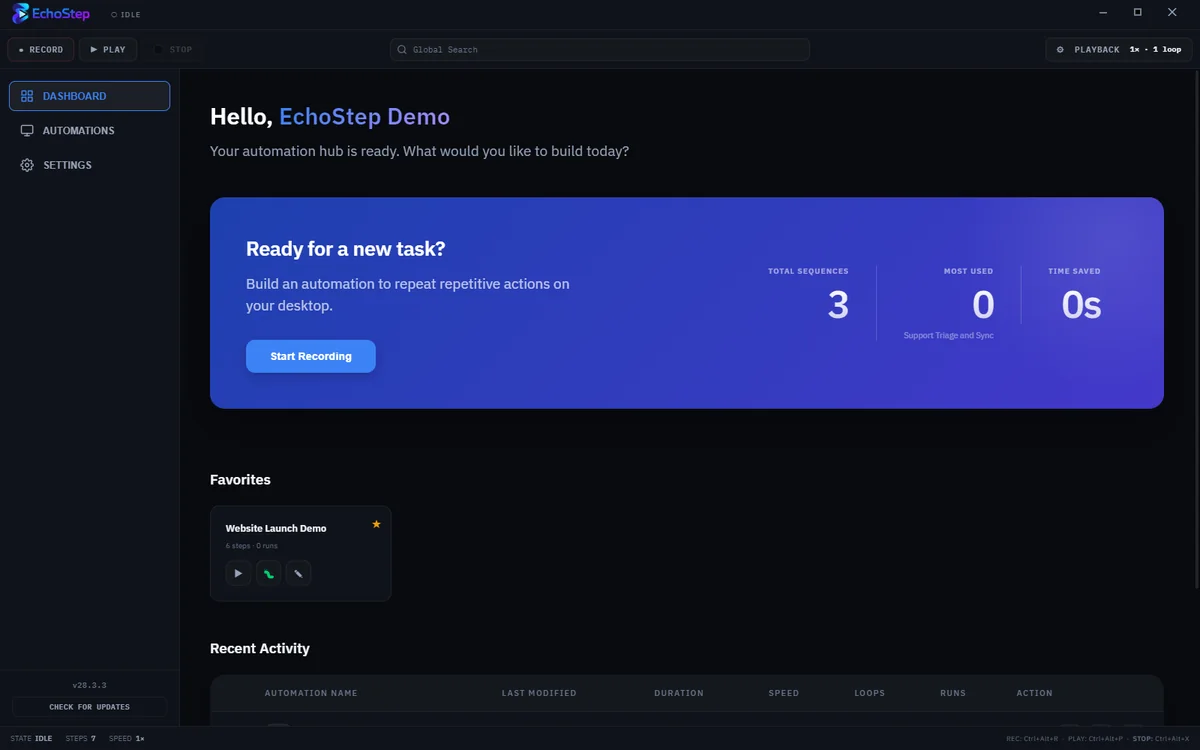
EchoStep is a visual desktop automation tool and macro recorder for Windows that helps you record actions, replay workflows, and automate repetitive tasks faster without complex scripting.
Record clicks, keyboard input, OCR steps, and repeatable desktop workflows without writing scripts.
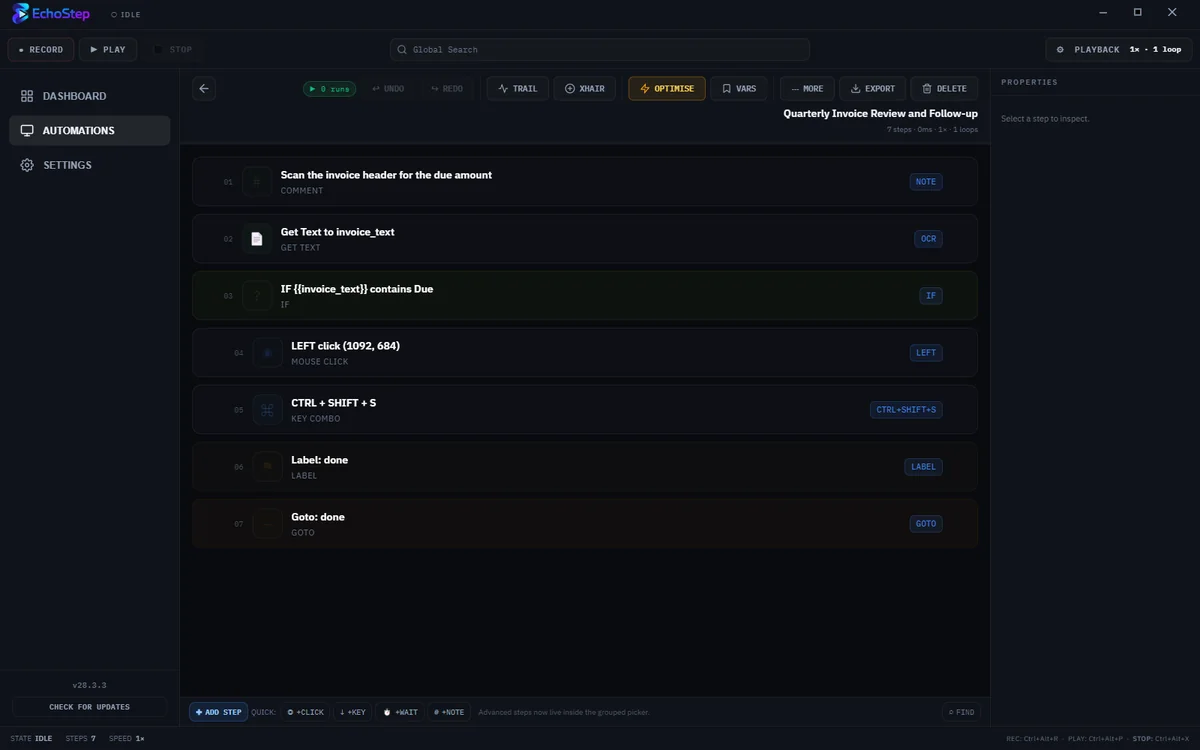
EchoStep is a Windows desktop automation tool and macro recorder that records mouse clicks, keyboard input, and repeatable on-screen actions so you can replay them in seconds. Use it to automate repetitive admin, data entry, internal workflows, and client-facing processes without complex scripting.
Record clicks, shortcuts, and repeatable workflows with a visual macro recorder built for speed, accuracy, and control.
Records OS-level events including clicks, scrolls, and shortcuts. Handles screen scaling and resolution changes automatically.
No code required. Reorder steps with drag-and-drop, edit coordinates manually, and add logic loops visually.
A minimal HUD stays on top so you can launch automations while working inside other applications.
If you sell time, operations, or support, EchoStep helps you remove repetitive Windows work so you can deliver faster and scale without hiring for every manual task.
Automate account setup, data entry, file handling, and routine admin so new clients get turned around faster.
Repeat the same sequence across portals, spreadsheets, and internal tools without rewriting the process each time.
Package repeatable desktop workflows into a tool you can use across projects, then charge for speed and consistency.
Your central hub for managing and launching all your automated workflows.
Download for free to get started. Upgrade once for a lifetime of professional automation features.